
New


The demo is this invite filled with sample details, watermarked. Yours carries your own names and ceremonies.
Golden Lines
- Wedding
- Engagement
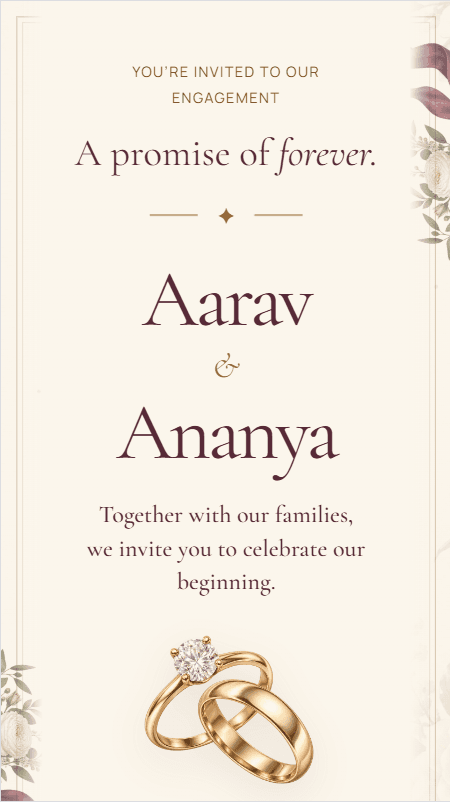
A minimal golden Save the Date invitation with delicate line accents, blending modern elegance, luxury, and timeless romantic charm.
$29.99Was $39.9925% off
One payment. No subscription, no renewal.
- You build it yourself. After payment you create your account, then add names, venues, ceremonies, photos and music across guided steps, preview it and publish. Our team doesn't fill it in or design it for you, but support is there if you get stuck.
- Live until 6 months after your last event. Your invitation stays live until 6 months after the date of your last event. If you move an event date, that end date moves with it.
- Digital only. You get an invitation to share as a link. Nothing is printed or posted.
Reviews of this invite
4.7 out of 5 from 10 reviews
5 out of 5
Our entire wedding colour palette was gold and ivory and this matched without any effort. It felt like the template was made specifically for us. Absolutely loved it!
5 out of 5
My grandfather thought it was a scanned printed card. He genuinely could not tell the difference. That is the level of quality we are talking about. Highly recommend!
5 out of 5
We were on a tight budget. Nobody could guess this cost 999 rupees. My cousin was convinced we spent thousands on a professional designer. Absolutely loved it!
4 out of 5
My mother was against digital cards at first. One look at Golden Lines and she forwarded it to the entire family herself. That reaction was all the validation we needed!
4 out of 5
I dislike heavy and over-decorated designs. Golden Lines was clean, minimal and gorgeous. Finally a save the date template that actually felt like me. So happy with this!
5 out of 5
We both work in creative fields and are very particular about design. Golden Lines impressed us both immediately. Typography, spacing and proportions are all spot on!
5 out of 5
Needed something quick for our save the date and stumbled on this. The final result was so good that we kept editing it longer than planned. Kunal loved it and he never cares about design. 5 stars!
5 out of 5
The template is beautiful, subtle, and looks premium. Many guests asked for the link, and we recommended Aamantran.
5 out of 5
Friend replied 'are you sure this is digital??' 😂 Gold looks so real and rich on screen. Completely obsessed with this template!
4 out of 5
20 minutes mein buy kiya, edit karke send kar diya. Expected it to be complicated but so easy. End result actually beautiful. Great value!
Other invites like this one
- Trending

Before you buy
Celebrate the beginning of our forever with a touch of gold ✨ This beautifully crafted digital invitation features a minimal golden theme with delicate gold line accents, adding a subtle yet luxurious charm. Designed to be short and sweet, this Save the Date template perfectly captures the essence of your special day—simple, elegant, and unforgettable. Share the joy with your loved ones in style and let them mark their calendars for a celebration filled with love.
- Style
- golden_lines
- Colours
- Golden
- Animation
- moving lines
- Languages
- English
- Best for
- Wedding, Reception, Engagement
- Names on the invitation
- Person 1 Name
- Person2 Name
- For each ceremony
- Date
- Event Name
- Time
- Venue
- Google Maps Link
- Venue Address
- Photos, video and music
- Background Music
- Couple Gallery Photos (up to 4)
- Other details
- Main Event Name
- Main Event Date
- Languages
- English
- For your guests
- RSVP form
- Guest wishes
Read from this invite itself, so it matches what you receive.
- RSVP for each ceremonyGuests tick the ceremonies they'll attend, with plus-ones, meal preference and a message. You see the headcount for each. Where this invite supports it.
- Your own invitation linkOpens in any browser, with no app for guests, and shows a preview card in WhatsApp.
- Guest list with CSV exportKeep your guest list in one place and export guests and RSVPs for your caterer or venue.
- A second link for selected ceremonies, includedFor guests invited to only some ceremonies.
- Eight planning toolsBudget, tasks, vendors, day-of timeline, inventory, gifts, mood board and photo wall.
- Support from our teamRaise a ticket from your dashboard, or reach us on WhatsApp or email.
- People & NamesThe names on your invitation. You confirm them at the end of this step, and they lock after that.
- VenuesEach venue's name and address. Paste a Google Maps link and the location fills in.
- CeremoniesEach ceremony's date, time, venue, dress code and notes.
- Photos & MusicPhotos, video and background music for the spaces your invite has.
- Special DetailsAnything else your invite asks for, such as your story or a contact person.
- Guest OptionsInstagram and YouTube links, and whether RSVP and wishes are shown.
- LanguageWhich of your invite's languages the invitation uses.
- Preview & PublishCheck a private preview, choose your link, add an optional second link for selected ceremonies, and publish.
You confirm the names on your invitation at the first step of the builder, and they lock after that so they can't be changed by accident. Optional names, such as extended family, can still be edited. If a confirmed name needs correcting, raise a support ticket from your dashboard.
Change any time
- Venues and map links
- Ceremony dates, times, dress codes and notes
- Photos, video and music
- Special details such as your story and contact person
- Whether RSVP and wishes are shown
- Instagram and YouTube links
- The invitation's language, from those the invite supports
- Whether the invitation is published
Fixed
- Confirmed names: corrections go through support
- The invite's layout, fonts and colours
- Which languages an invite supports
- The invite itself: to move to another, contact support, and if it costs more you pay the difference
No, you build it yourself. The guided builder takes you through each step, and our support team is there if you get stuck, but we don't fill in or design the invitation for you. Contact support
Your invitation is live as soon as you publish it. How long it takes to get there depends on how much you add; most couples need about 15 minutes once their details are ready.
Most details, yes. Venues, ceremony dates and times, photos, music and other details can be edited from your dashboard at any time, and the live invitation updates straight away on the same link. Names are the exception: they lock once you confirm them at the first step, and a correction after that goes through a support ticket.
Your invitation stays live until 6 months after the date of your last event. If you move an event date, that end date moves with it.
No. You pay once per invitation, with no subscription or renewal. Your invitation stays live until 6 months after your last event.
Yes. When you publish, you can also create a second link that shows only the ceremonies you choose, for guests invited to the reception but not the wedding, say. It's included in the price, and you set it up yourself in the Preview & Publish step. Guests who open that link see, and RSVP to, only those ceremonies.
How setting up works · What you can change later · Every question